How to prepare and anonymize the scan of your document
TUTORIALS

How to prepare and anonymize the scan of your document

A scan of your document can be used for verification purposes online, which is why knowing how to anonymize it is very important.

Sometimes, you might have to submit a scan of your document such as an ID card or a passport for verification purposes online, which is why knowing how to anonymize it is very important.

The most important information found on such a document is your name and surname, which must always be visible. If your ID includes your signature, it is recommended to leave it uncensored. However, a lot of information which is included on such a document is considered sensitive, thus it’s very important to know how to censor it properly.

Luckily, there is a lot of different software you can use to anonymize your scan, such as a very basic one which is Paint, to something a bit more complicated but still quite user friendly such as PhotoScape or Photoshop. However, using an online editing program is also fine, as long as there is no watermark added to your scan after you edit it

There are two ways which we recommend to use when anonymizing your document.

1.Blurring all the sensitive data

You can use software such as PhotoScape or Photoshop to blur all the sensitive data on your documents. Simply choose the blur tool and go over the areas with the data that need to be covered up.

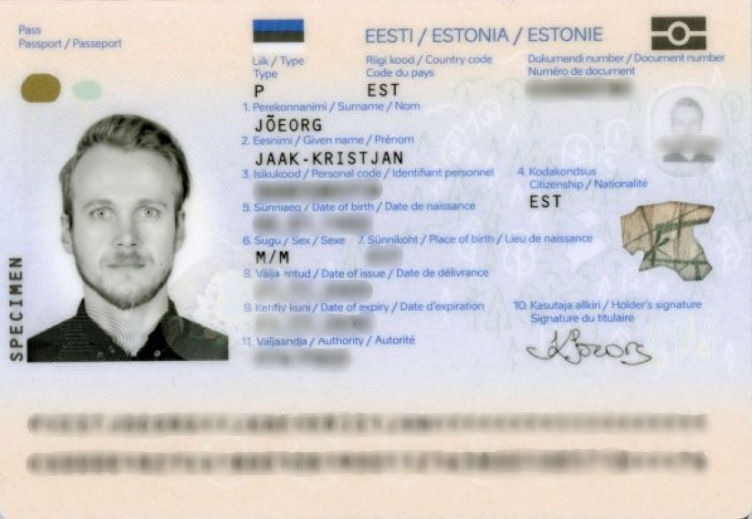
Here’s an example of how your document/documents should look after the anonymization via blurring:
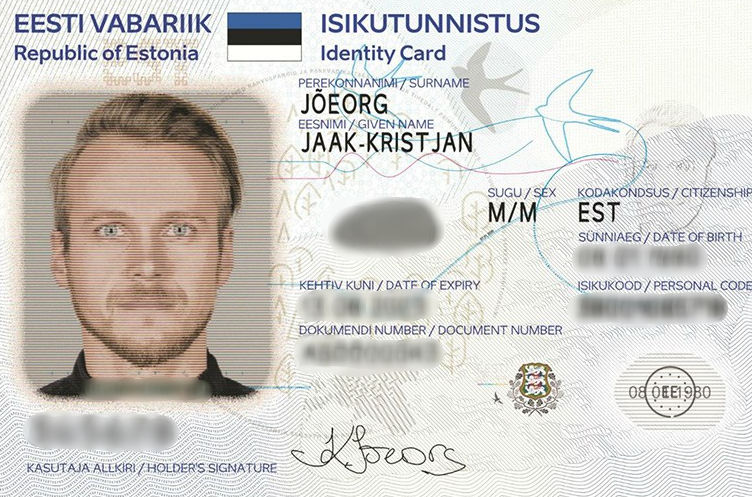
Example of an anonymized ID by blurring

Example of an anonymized passport by blurring

2. Covering all the sensitive data

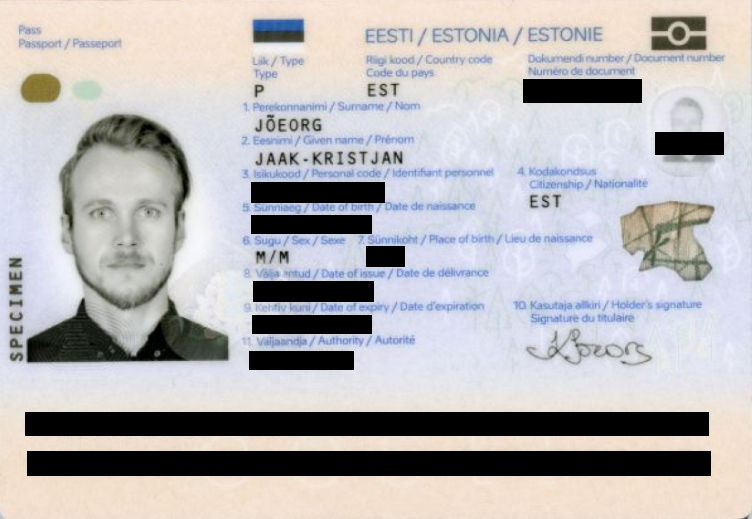
Covering your data is quite a simple thing which you can even do using Paint. You simply have to create shapes like lines or big rectangles over the sensitive data.

Here are examples of how your document/documents should look after the anonymization with various shapes:
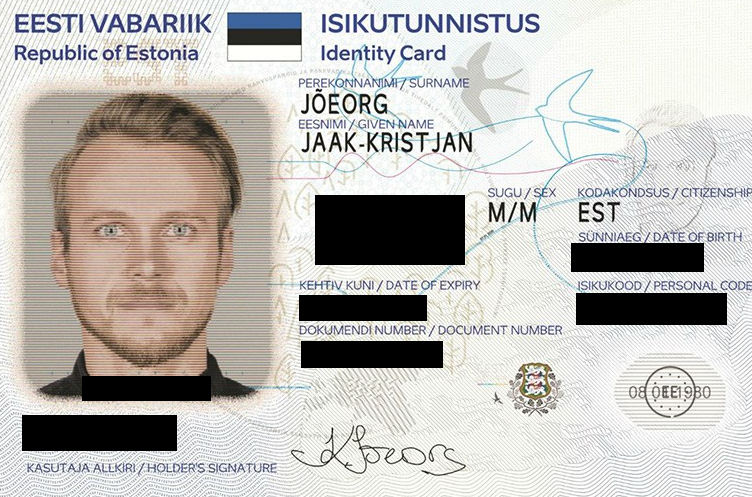
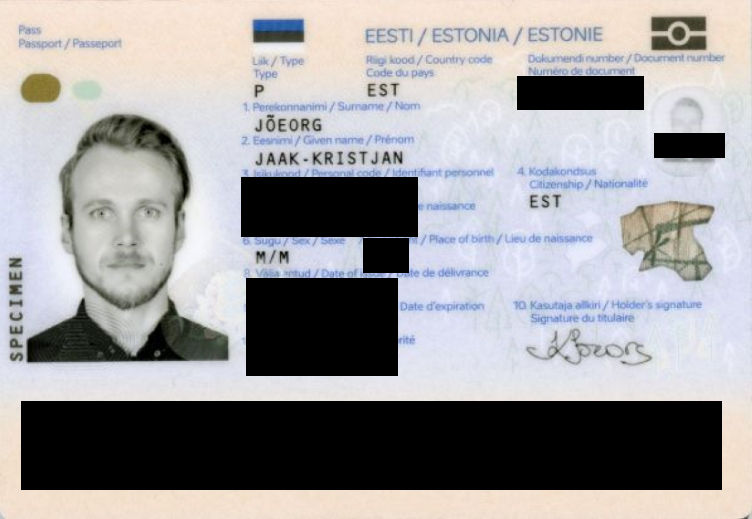
Example of an anonymized ID

Example of an anonymized passport

OR

Example of an anonymized ID#2 Example of an anonymized passport#2

What sensitive data should be covered while anonymizing a scan of a document?

When anonymizing the scan of your document, you should cover all sensitive data, such as:

  • Your place of birth/residence

  • Birth date

  • Any type of serial numbers found

  • Your fingertip

  • The documents expiry date.

Remember: before you submit your anonymized document, make sure that all sensitive information has been covered!

Find the article interesting? Share via:

More From Our Blog

DEFAULT
For Legal & Security Professionals - Advanced Investigative Infrastructure

Precision discovery for professional investigations Legal and security work runs on evidence, and increasingly that evidence is visual. Verifying an identity, tracing the origin of an image, connecting a photo to a person or place, uncovering fraud, or auditing a large volume of visual material - these are core tasks for lawyers, private investigators, and corporate security teams. PimEyes provides the infrastructure to do them at scale and with precision.

Read more

DEFAULT
Elite Reputation Management For Public Figures & PR

In reputation, timing is everything For a public figure, an image can define a moment before a single word is spoken. A photo taken out of context, a manipulated image, an unauthorised endorsement, or a fabricated deepfake can travel across the web in hours. The difference between a manageable situation and a full-blown crisis is almost always how early you knew. The traditional problem for public figures and their PR teams is that they find out last. By the time a damaging image reaches a client's inbox, it has usually already spread. Elite reputation management inverts that - it's about seeing new appearances of a client's image as they emerge, so the response can begin before the narrative sets.

Read more

DEFAULT
Master Your Digital Footprint

You have a digital footprint. It's bigger than you think. Most of us have spent years online - social profiles, tagged photos from friends, old accounts, event pages, forum posts, and images we don't even remember uploading. Every one of those leaves a trace. The result is a "digital footprint": the collection of images and information about you scattered across the public web, much of which you never put there yourself and can't easily see. The uncomfortable truth is that this footprint is far more visible to strangers than it is to you. Anyone can search; you're the only one who assumes it's all under control. PimEyes exists to flip that around - to let you see what's out there, so you can decide what to do about it.

Read more

PimEyes is a privacy-first online face search engine and reverse image search technology. We empower individuals to monitor their online presence, protect their digital identity, and audit copyright infringement with advanced facial search solutions.

© 2026 PimEyes. All rights reserved.